
Featured app · iOS & Android
Understand Bible
Offline-first Scripture reading and practical study tools for iOS and Android, with 20 interface languages, bilingual reading, optional grounded AI answers, lessons, devotionals, and private on-device notes.
Published by iT Church · Product engineering and operated services by IGEARS TECHNOLOGY LIMITED

The brief
Make Scripture readable anywhere, and understandable without a study shelf
Bible apps usually ask for two things before a reader gets to the first verse: a signal and a sign-up. Neither is reliable. A reader on a commute, in a rural congregation, on a prepaid data plan or simply unwilling to hand over an email address is locked out of the thing they came for.
The second problem is comprehension. Plenty of apps deliver the text and stop there, leaving the reader to guess at context. Adding AI to close that gap is easy to do badly — an assistant that answers from anywhere in its training data, in a voice indistinguishable from Scripture, is a liability for a publisher and a disservice to a reader.
The build
Offline first, then help — clearly labelled as help
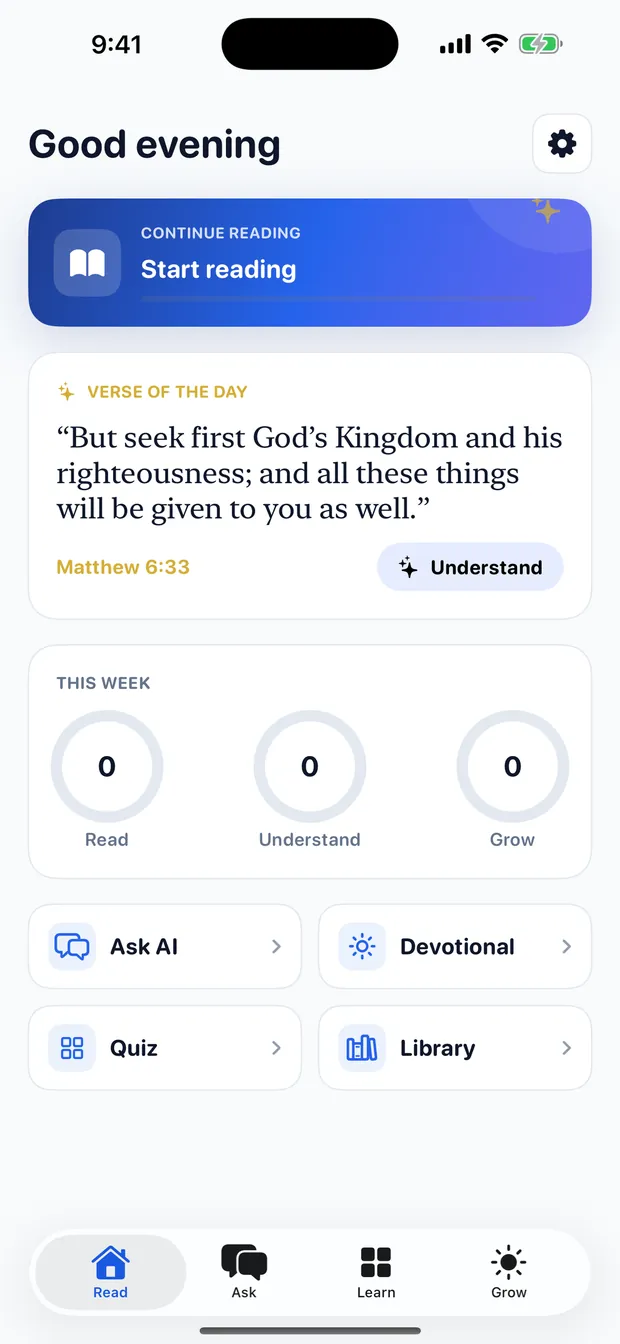
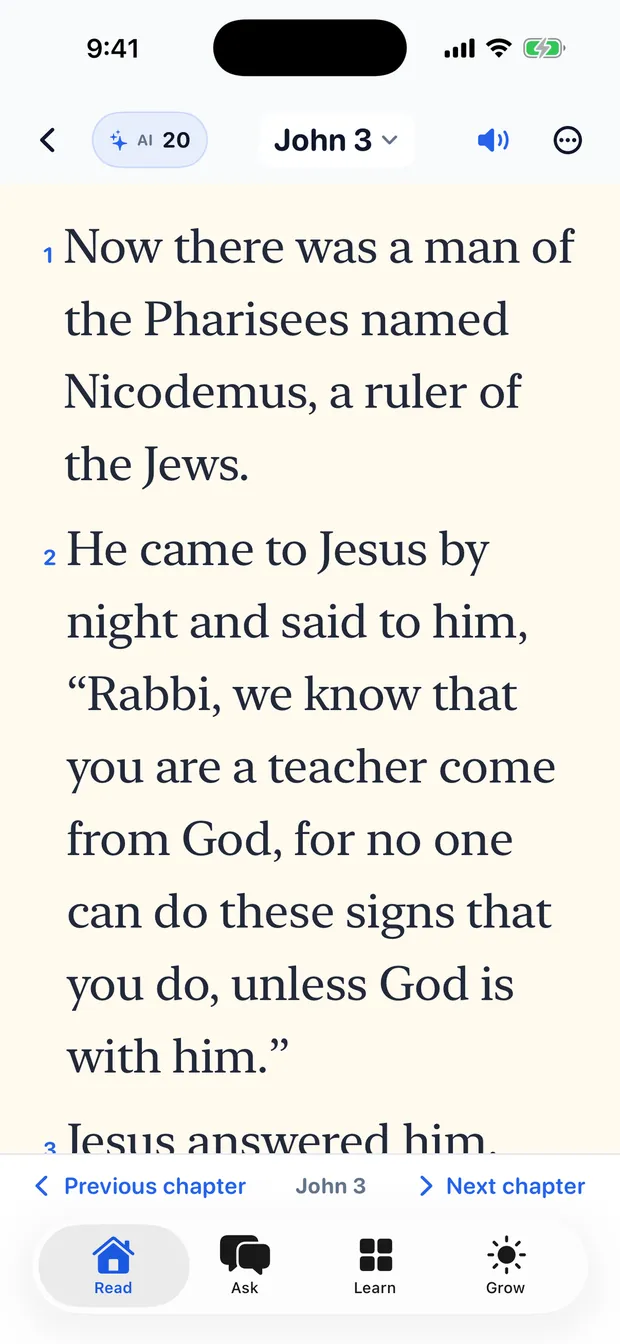
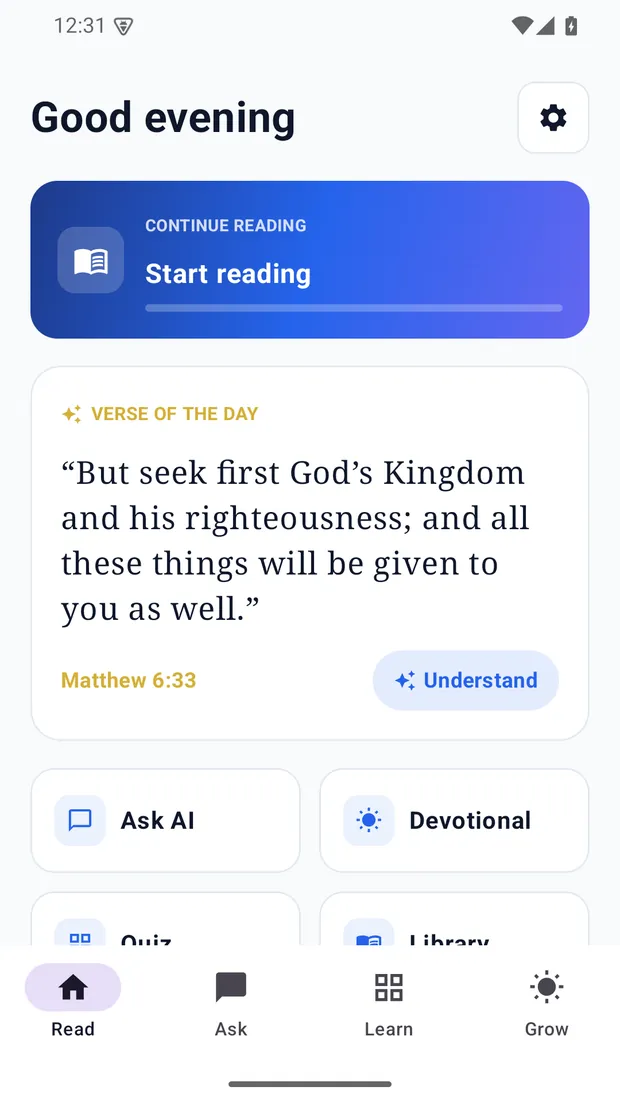
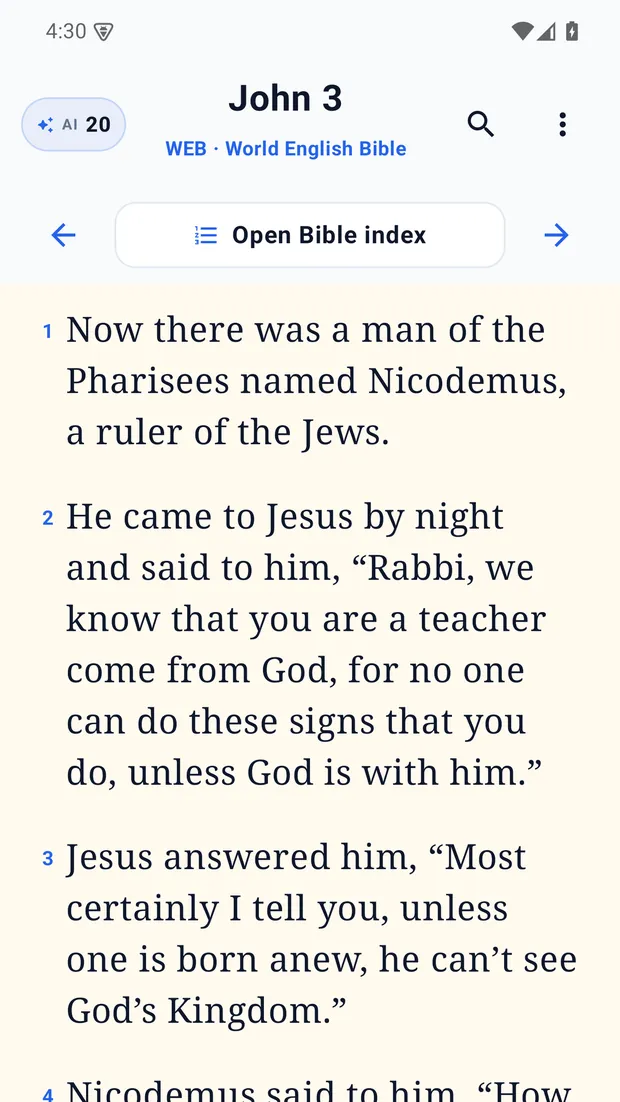
Understand Bible makes Scripture approachable without making an internet connection or a purchase a condition of reading. The World English Bible is available offline, additional public-domain editions can be downloaded, and readers can search, listen, highlight, bookmark, take notes and compare compatible translations side by side. Notes, highlights, bookmarks and reading position stay on the device.
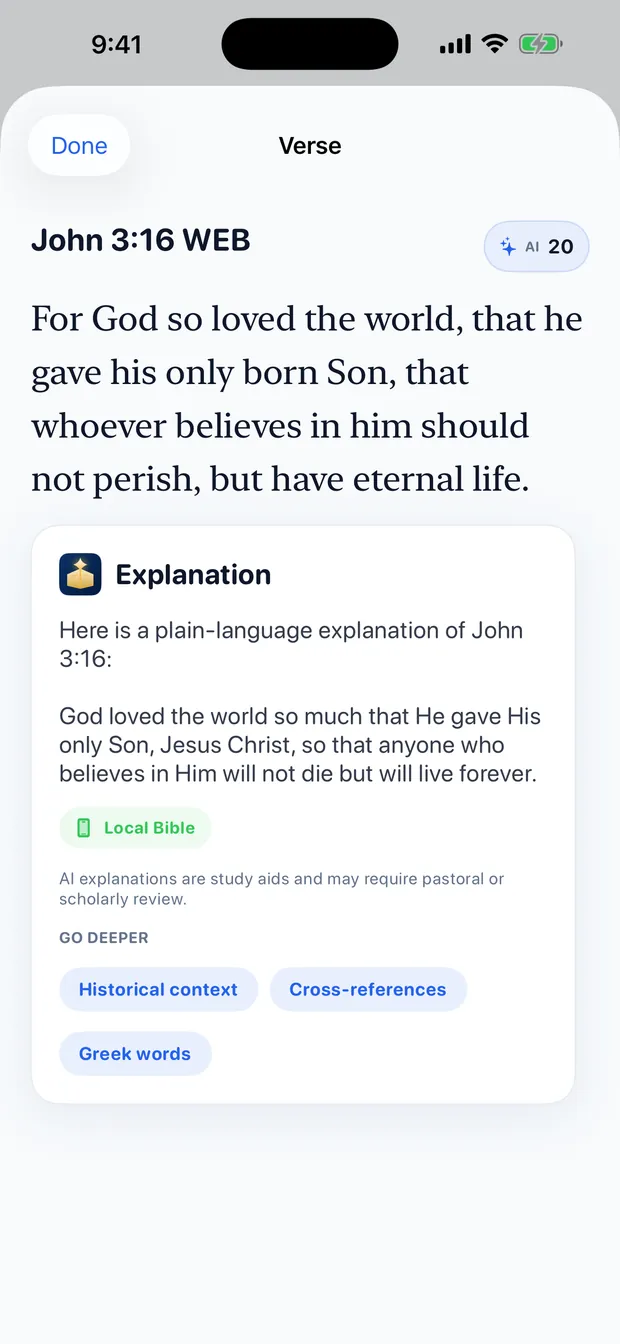
Optional AI study aids are grounded in Bible passages and clearly labelled as study aids rather than Scripture. Cloud AI starts off and requires an explicit choice. Quick Explain is private and uses zero credits on supported devices. Visible AI answers can be reported for review.
At a glance
Android 6.0 / API 23 or later
online.itchurch.bibleThe product
Real screens, both platforms
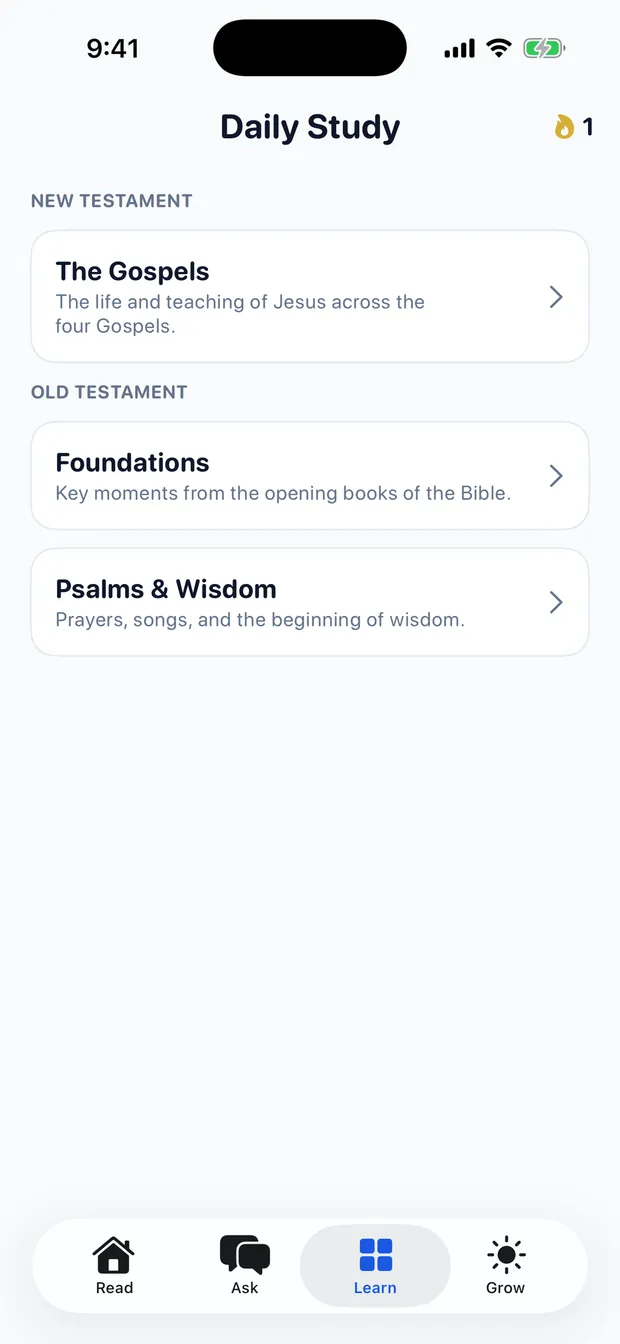
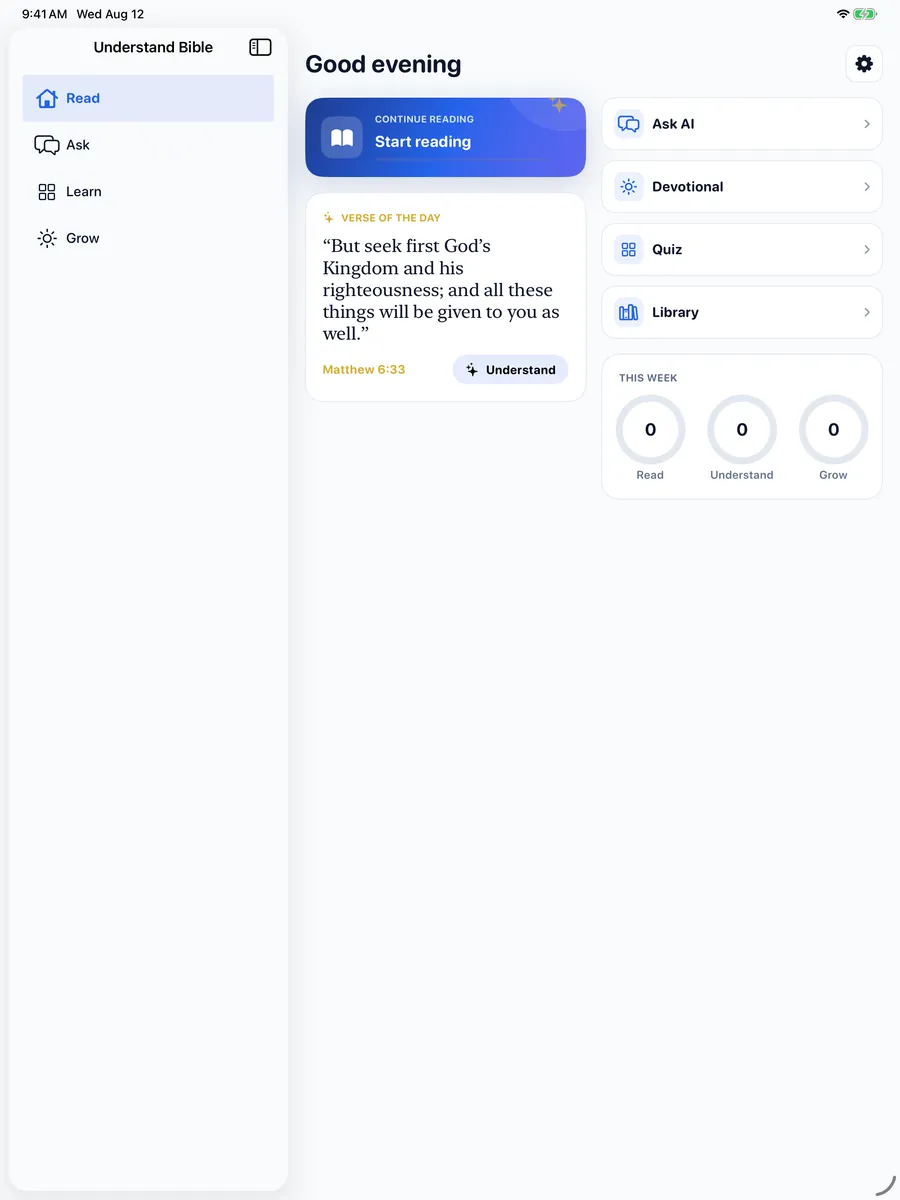
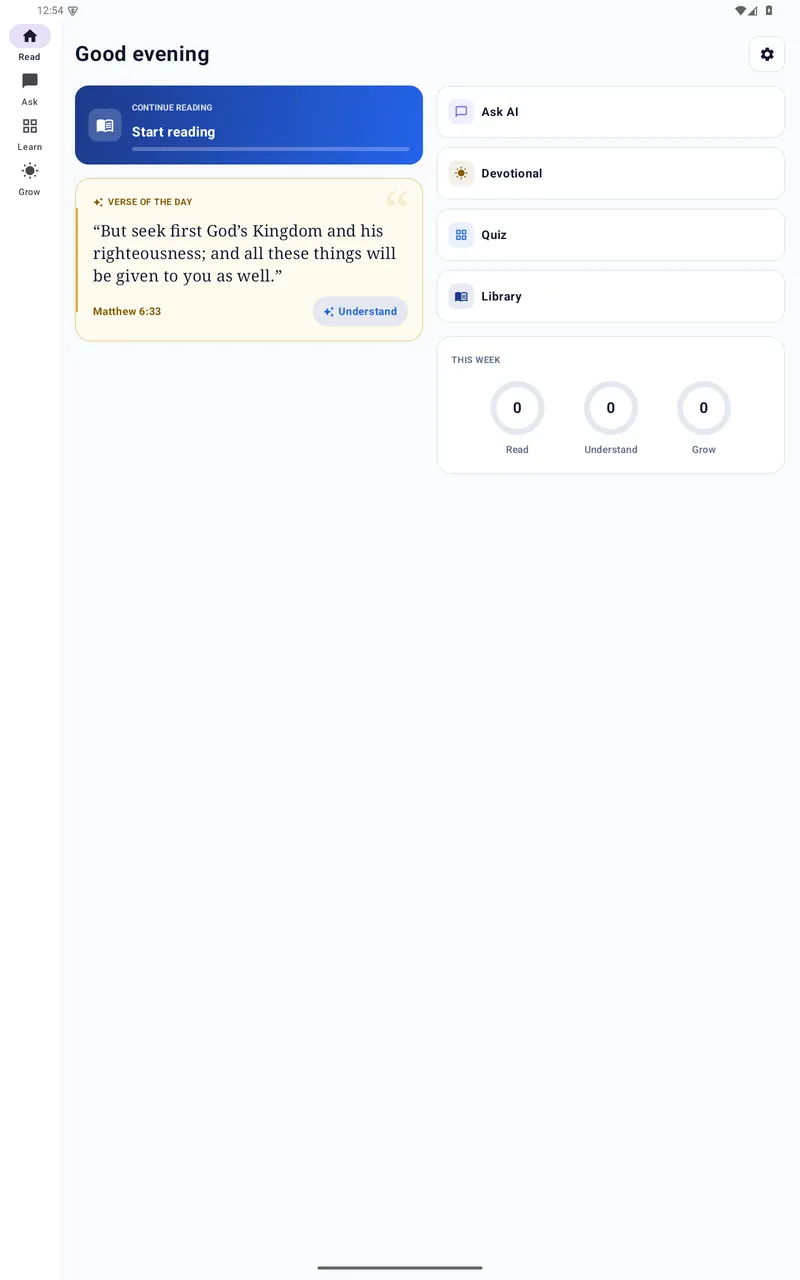
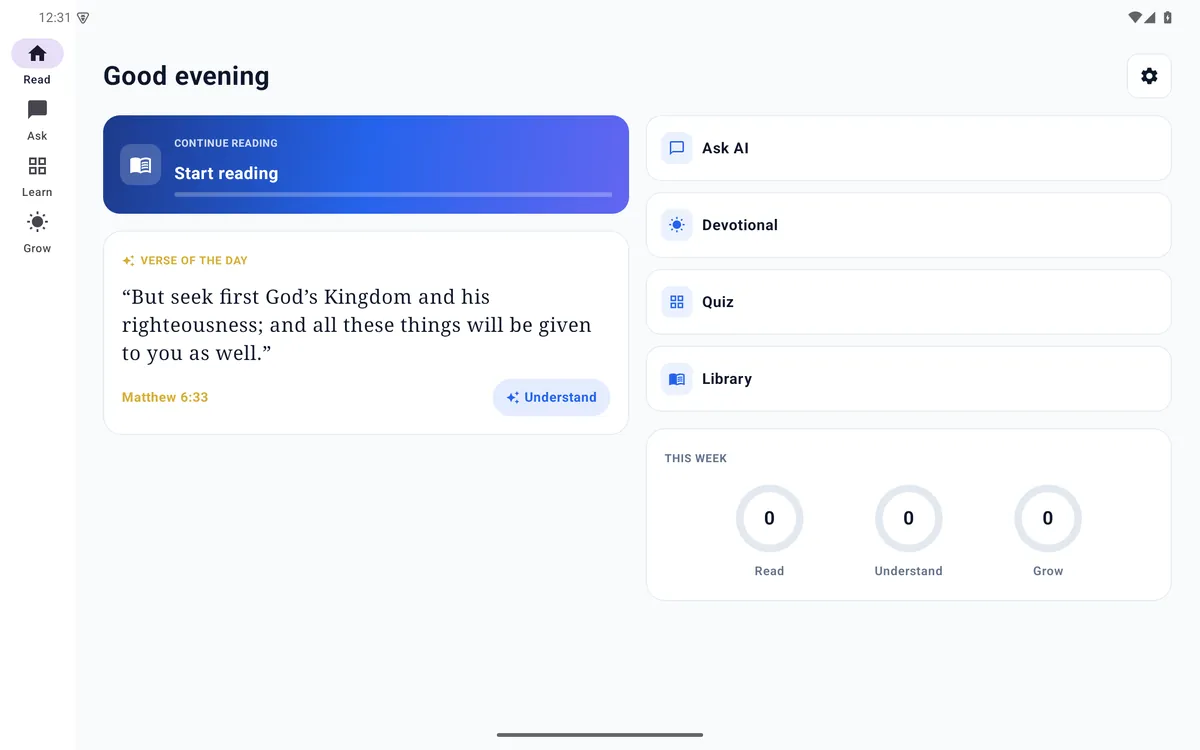
Screenshots from the 1.3.0 release — the same product on iPhone, Android phones, iPad and Android tablets.
Phones
Swipe for more screens →
Tablets
Engineering
What shipping this actually took
- Native iOS and Android experiences with phone and tablet layouts.
- Supports iOS 15.0+ and Android API 23+ while targeting current store SDKs.
- Twenty interface locales with complete matching key structure on both platforms.
- Offline-first Bible reading, search, notes, highlights, bookmarks and device text-to-speech.
- Downloadable public-domain Bible catalogue and compatible bilingual reading.
- Explicit cloud-AI consent, Scripture grounding, answer citations, study-aid labels and in-app reporting.
- Optional one-time consumable AI credits; no subscription in version 1.3.0.
- No ads, advertising trackers, or user-created account required for reading.
Twenty interface locales ship with a complete, matching key structure on both platforms: Arabic, Dutch, English, French, German, Hindi, Indonesian, Italian, Japanese, Korean, Polish, Portuguese, Russian, Simplified Chinese, Spanish, Thai, Traditional Chinese, Turkish, Ukrainian and Vietnamese. Interface translation is not the same thing as Bible availability — Bible editions are public domain, and which editions exist in which language varies.
Privacy, AI safety and store compliance
The constraints were the specification
A Scripture app aimed at a general audience, carrying generative AI, has to satisfy two app-store review teams and a publisher's duty of care at the same time. Those requirements shaped the build rather than being retrofitted to it.
Privacy by construction
- No ads and no advertising trackers.
- No user-created account required for Bible reading.
- Cloud AI starts off and requires an explicit choice.
- Optional one-time consumable credits — no subscription in version 1.3.0.
Reading, search, notes, highlights, bookmarks and read-aloud run locally. Choosing cloud AI sends the question and the Bible passages needed to ground the answer — and nothing is used for advertising or cross-app tracking.
AI that stays in its lane
- Answers are grounded in the downloaded Bible and cite the verses used.
- Every answer is labelled a study aid, never presented as Scripture or doctrine.
- Quick Explain is private and uses zero credits on supported devices.
- Any visible answer can be reported for review from inside the app.
Store compliance came with it: data-safety and privacy declarations that match what the code does, an age rating appropriate to open-ended AI study aids, consumable in-app purchases declared as consumables, and review notes that let a reviewer reach every feature without an account.
Understand Bible includes public-domain Bible editions only. Availability varies by language and may include complete Bibles or individual Testaments. AI explanations are study aids and may require pastoral or scholarly review.
Understand Bible is published by iT Church. iGears provides the product engineering and the operated services behind it; the app's religious content and editorial direction belong to the publisher, not to iGears.
Where to find it
Get the app
Understand Bible is live on Google Play. The iOS release is in store review; this page will link the App Store listing once its public URL is available.
Questions we hear
Understand Bible FAQ
Does Understand Bible work without an internet connection?
Yes. The public-domain World English Bible is available offline, and reading, search, notes, highlights, bookmarks and device text-to-speech all work on the device. Additional public-domain editions can be downloaded when you want them.
Do users need an account to read the Bible?
No. No user-created account is required for Bible reading, and there are no ads and no advertising trackers.
How is the AI kept safe and honest?
Cloud AI starts off and requires an explicit choice. Answers are grounded in Bible passages, carry citations, are clearly labelled as study aids rather than Scripture, and every visible answer can be reported for review from inside the app. AI explanations may require pastoral or scholarly review.
Is there a subscription?
No. There is no subscription in version 1.3.0. Optional one-time consumable AI credits are available, and Bible reading does not require a purchase.
Which devices and languages are supported?
iOS 15.0 or later and Android 6.0 / API 23 or later, on phones and tablets. The app interface is available in 20 languages. Bible editions are public domain and availability varies by language — a language having an interface translation does not mean every Bible edition exists in it.
Who builds and who publishes the app?
Understand Bible is published by iT Church. Product engineering and the operated services behind it are provided by IGEARS TECHNOLOGY LIMITED.
Get a quotation
Need an app built to this standard? Tell us what it has to do.
Send it today and our Hong Kong engineering team scopes it overnight, so you usually have an answer before your next morning. Your contract, your invoicing and the person you call stay in Edmonton. A quotation costs nothing and commits you to nothing.
Prefer email or phone? info@igears.ca · +1 587 599 2412