
Our own app · iOS, Android & Amazon
LingoCast
Our own iOS and Android conversation translator. Turn-by-turn speech translation with on-device playback, private conversation capsules that never leave the phone, and a two-way review built from the moments that actually mattered — no account, no ads.
Built, published and operated by IGEARS TECHNOLOGY LIMITED
The brief
The conversation ends and everything you learned from it disappears
Translation apps are good at the minute you are in. You point a phone at a pharmacist, a landlord or a colleague, you get through the exchange — and then the whole thing evaporates. The next time you need the same sentence you start from nothing. Meanwhile the apps that do teach a language hand you a curriculum written for someone else, full of phrases you will never say.
The second problem is what an interpreter app has to be trusted with. It listens in a doctor's office, a bank, a border queue. The usual answer — create an account, upload the audio, keep a server copy of the transcript — is exactly the wrong shape for the situations people actually use it in.
The build
Translate now, learn from it later — and keep it on the phone
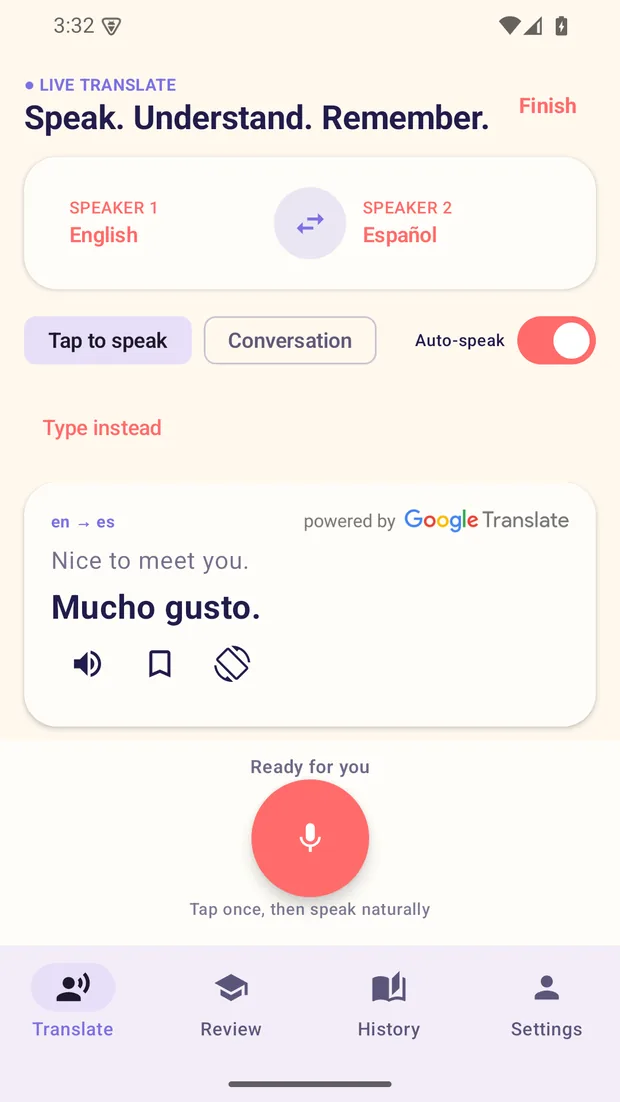
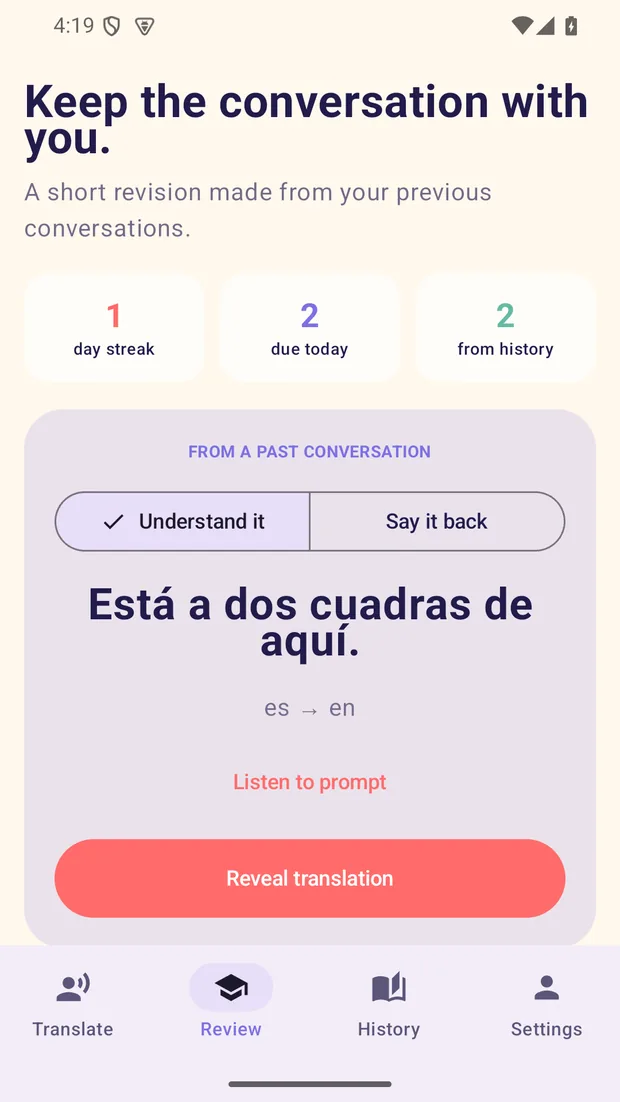
LingoCast interprets turn by turn and speaks the result aloud. When the conversation ends it keeps the complete transcript as a private capsule on the device and picks up to three useful moments from it — chosen on the device, without the transcript going anywhere — which become a short two-way review: understand the phrase first, then practise saying it back.
Everything that could have needed an account was designed not to. There is no login, no profile and no server-side conversation store. Pro entitlement is proved anonymously from a store receipt and a device session. A transcript leaves the phone only when the user picks the system share sheet.
At a glance
Android 6.0 / API 23 or later
cc.lingocast.appcc.lingocast.app.amazonThe product
Real screens, both platforms
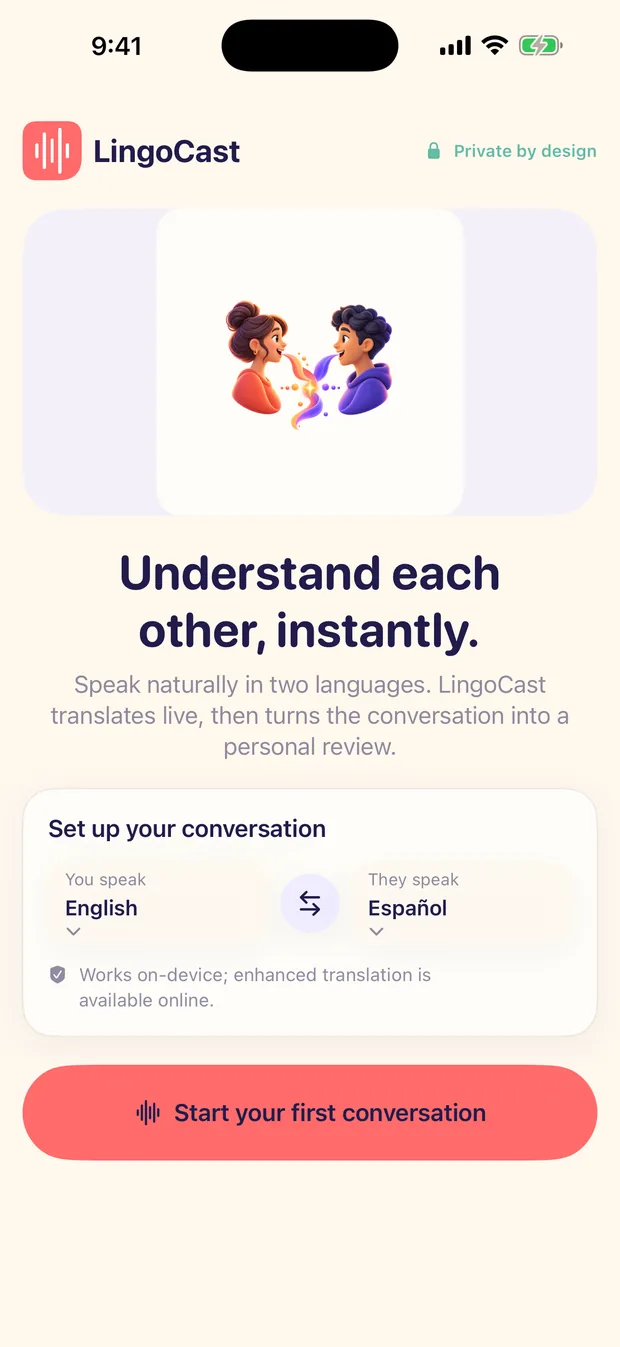
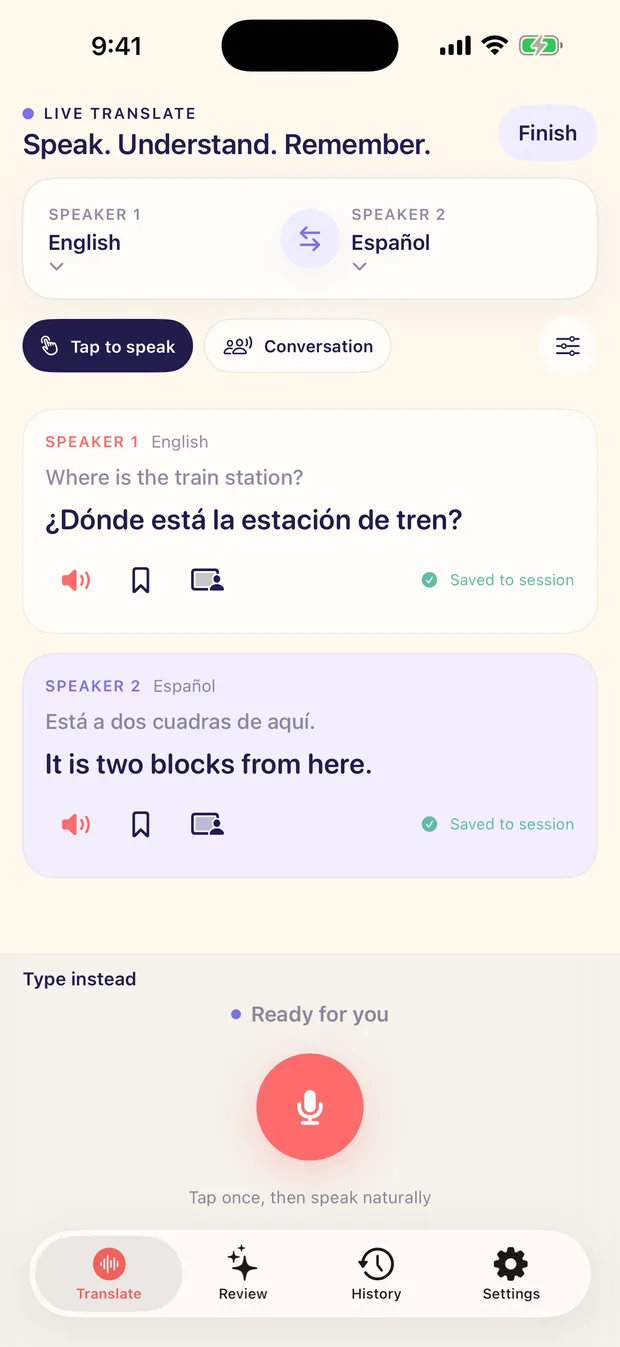
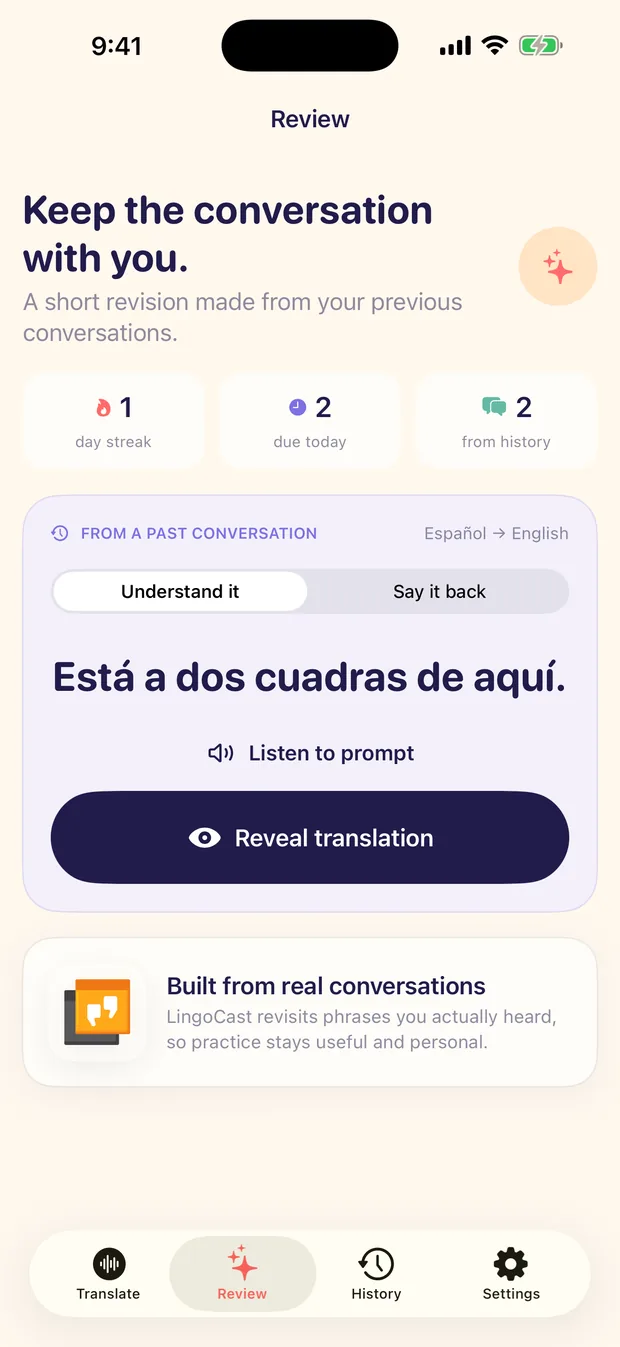
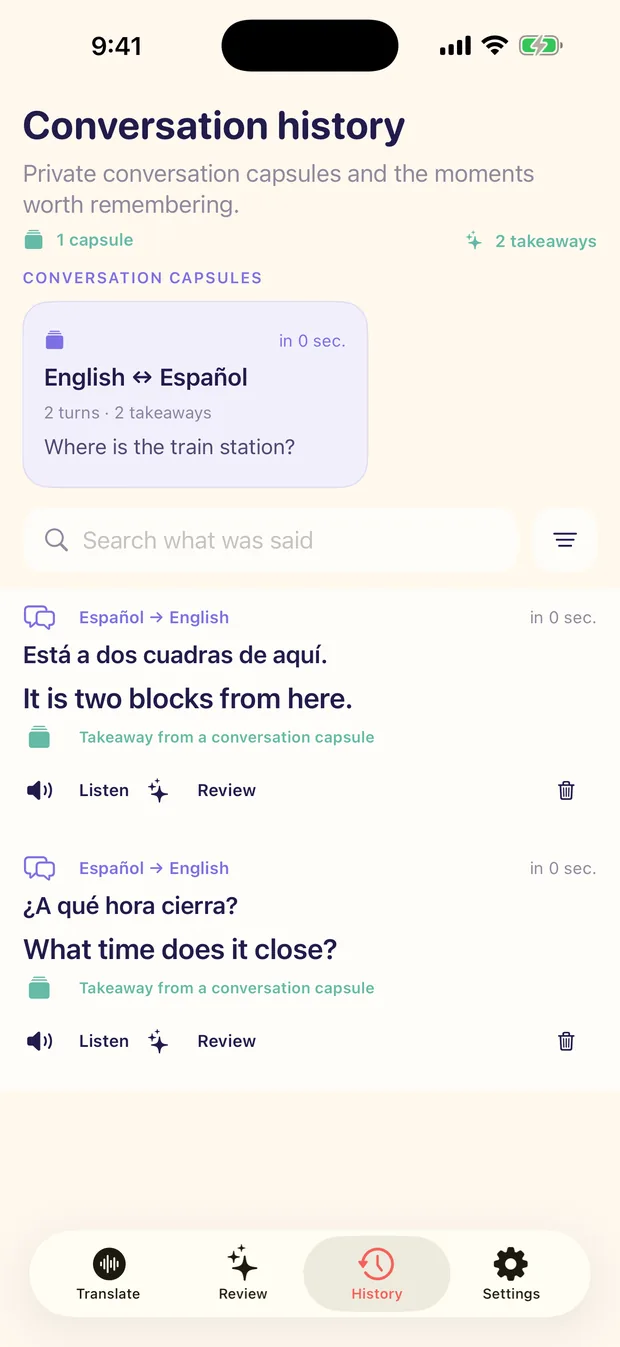
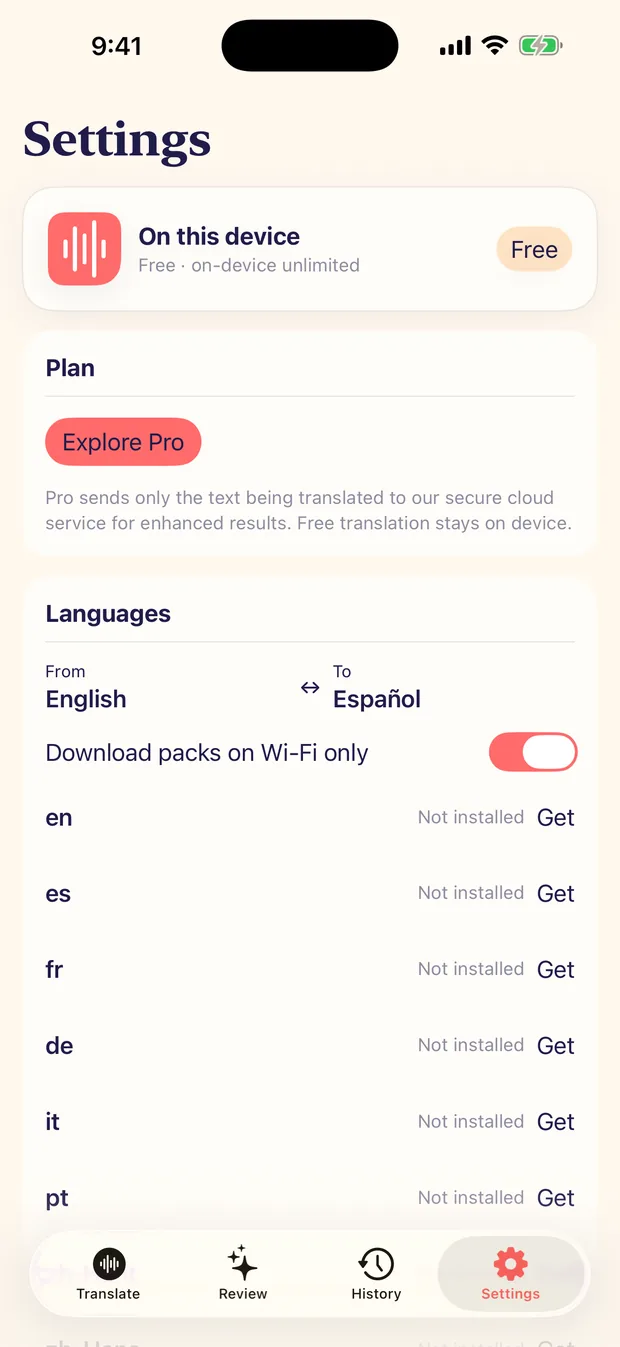
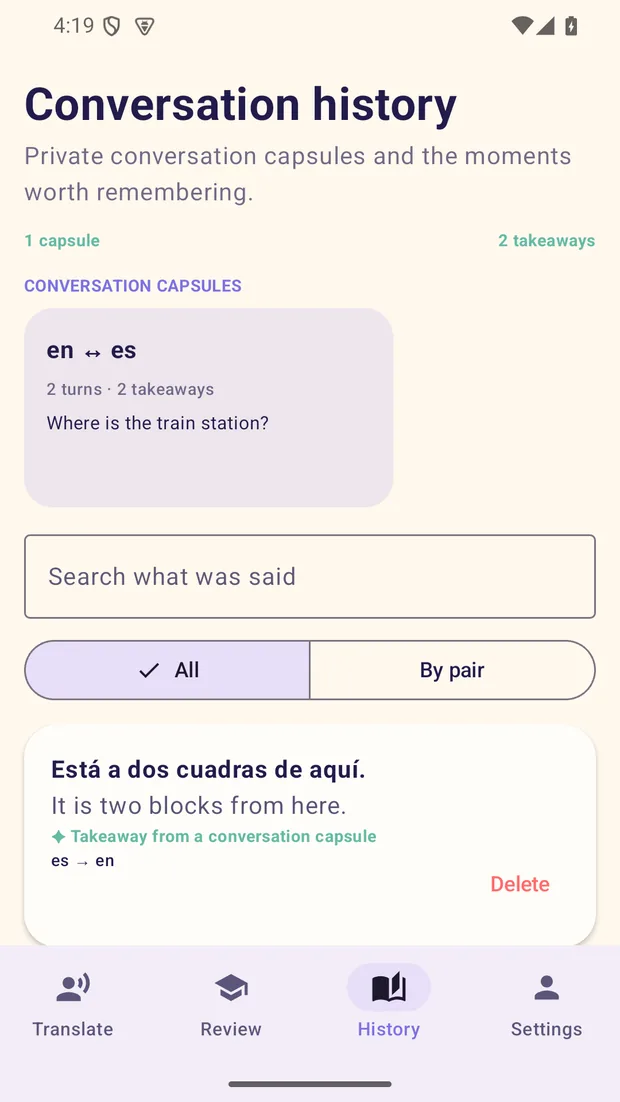
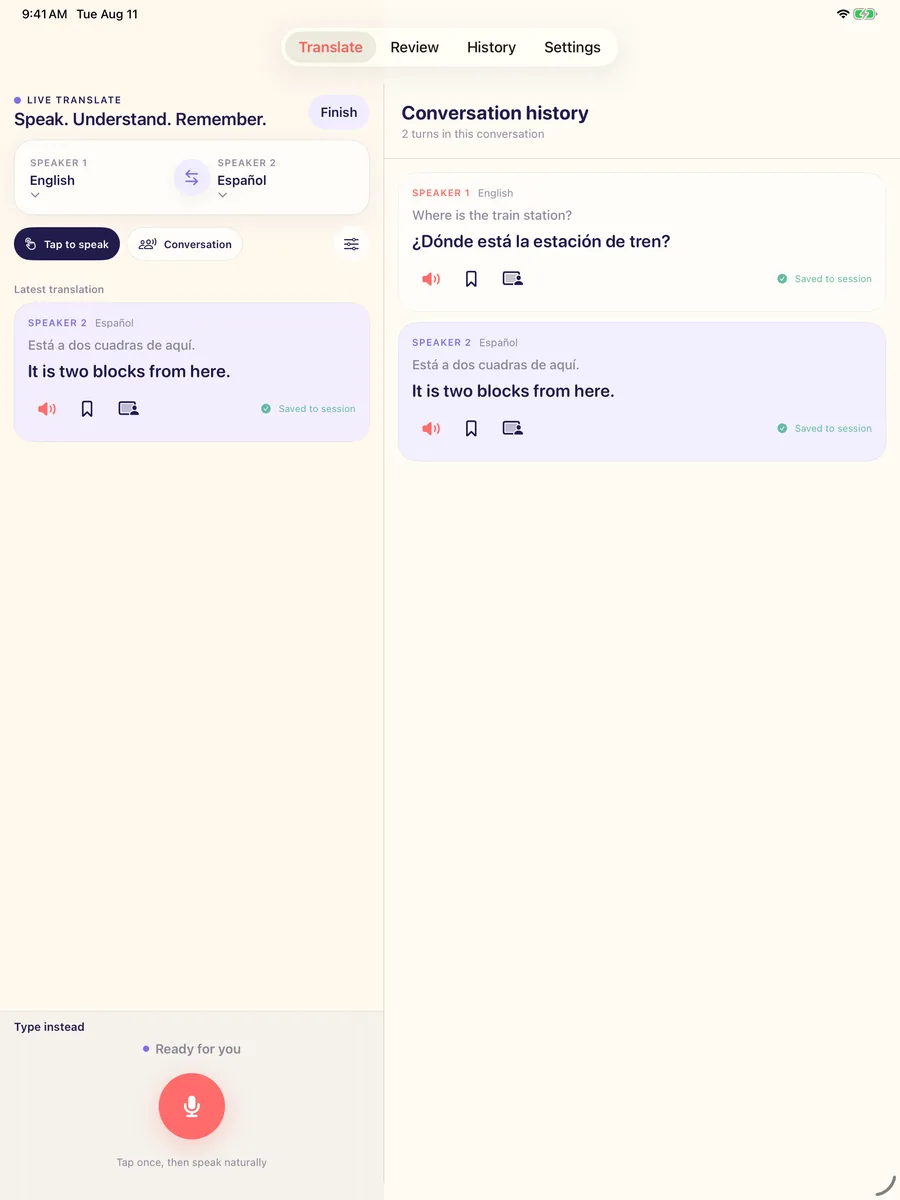
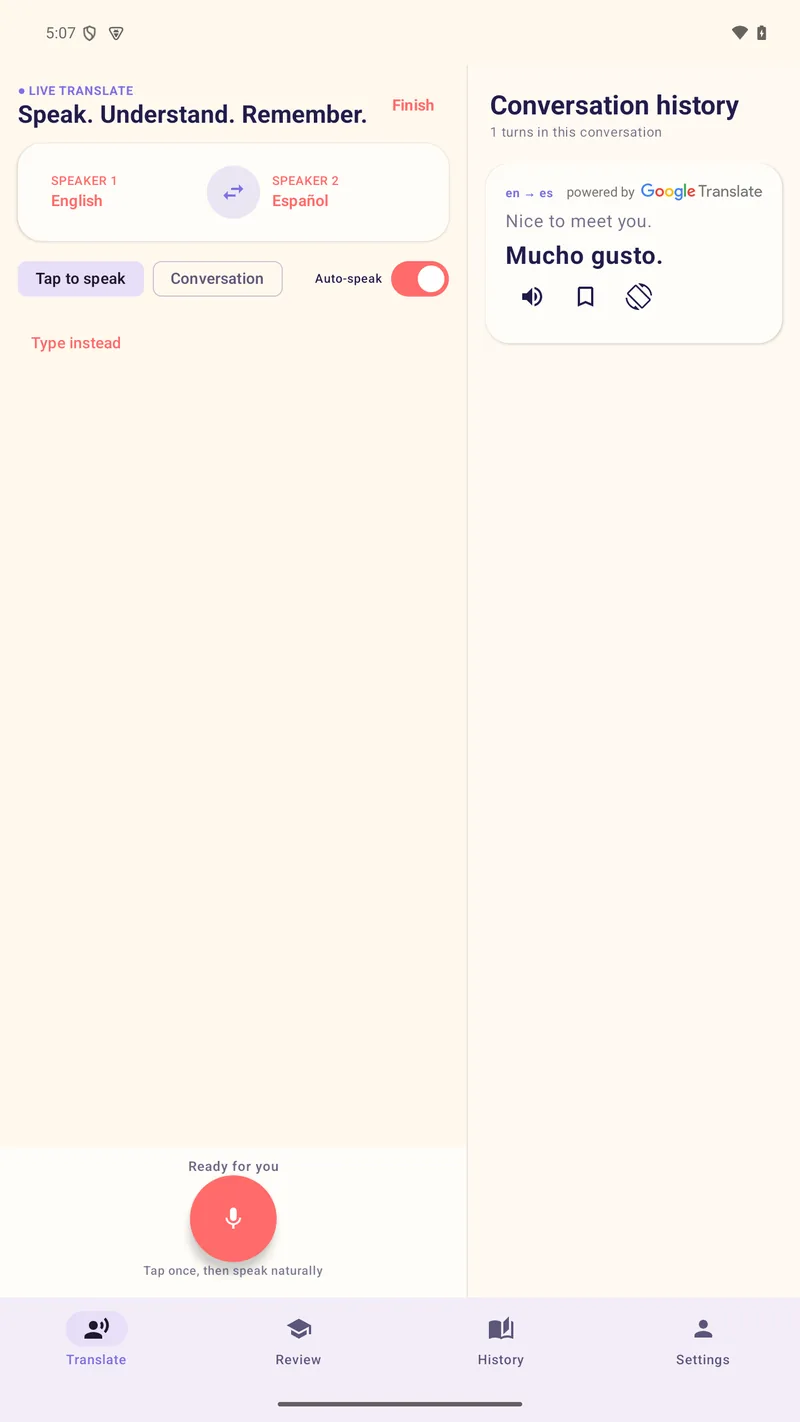
Captures from the 1.0.0 launch build — the same product on iPhone, Android phones, iPad and Android tablets.
Phones
Swipe for more screens →
Tablets
Engineering
What shipping this actually took
- Native iOS and Android clients, plus a separate Amazon Appstore flavour, from one product spec.
- Turn-by-turn interpreting with a tap mode, a continuous auto mode and a typed fallback.
- Headphone mode routes playback to the headset while the phone microphone keeps listening.
- Face-them view turns the screen around for the person across the table.
- Private conversation capsules keep the complete transcript on the device.
- Up to three balanced takeaways are chosen on the device — the transcript is never sent away to pick them.
- Two-way review: understand the phrase first, then practise saying it back.
- Downloadable offline language packs and 20 selectable languages, subject to device and platform support.
- Tablet and iPad layouts keep conversation history beside the live controls.
- Anonymous subscription entitlement: store purchase proof plus a device session, with no account anywhere.
- Interface fully localized in English and Traditional Chinese across both platforms.
One product, three storefronts, two billing stacks and a seven-year span of operating-system versions. StoreKit 2 on iOS and Play Billing on Android both settle against the same anonymous device-session endpoint, and the Amazon flavour swaps its billing client without forking the app.
Privacy and compatibility
The constraints were the specification
An app that listens to private conversations, ships to three storefronts and has to answer two sets of data-safety questions does not get to retrofit its privacy story. Ours was decided before the first screen.
Private by construction
- No account, no login, no social sign-in — anywhere in the product.
- No ads and no advertising SDK; monetization is subscriptions only.
- Conversation capsules, transcripts, takeaways and review progress stay on the device.
- LingoCast's own backend never receives raw microphone audio.
- A transcript leaves the device only when the user picks the system share sheet.
- Support diagnostics carry device and capability information — never audio or conversation text.
The Android build uses Google's ML Kit translation, which collects its own limited diagnostic and usage data and requires the Google Translate attribution shown beside local results. That is disclosed on the product's own privacy page rather than glossed over here.
Honest about what runs where
- Free on-device translation requires iOS 18+ or Android 8+, plus a supported device and language pair.
- On iOS 15–17 and Android 6–7 translation runs in a reduced mode that needs Pro and a network connection, and the app labels that mode rather than failing quietly.
- Speech recognition runs on-device where the platform supports it; otherwise the platform's own online recogniser handles the audio under its terms.
- Typed translation is always available as a fallback in the Talk screen.
Nothing on this page — or in the app — claims universal offline translation. The supported combinations of device, operating-system version and language pair are real limits, and saying so is cheaper than a one-star review that says it for us.
Machine speech recognition and translation can be delayed, incomplete or wrong. LingoCast is turn-by-turn, not simultaneous interpretation, and is not a substitute for a qualified interpreter or an emergency service.
Where to find it
Get the app
LingoCast has its own home at lingocast.cc. Downloads, support and every legal document live there — this page is the engineering story behind it. Store listings go live with the 1.0.0 release and the badges above become links as each one is published.
Questions we hear
LingoCast FAQ
Do you need an account to use LingoCast?
No. There is no account, no login and no social sign-in anywhere in the product. The app opens on a language-pair picker and goes straight into a conversation. Pro entitlement is anonymous — store purchase proof plus a device session, with no profile behind it.
Does it work offline?
Partly, and the detail matters. Free on-device translation needs iOS 18 or later, or Android 8 or later, plus a device and language pair the platform supports, with the language pack installed. On iOS 15–17 and Android 6–7 translation runs in a reduced mode that requires Pro and a network connection. History and review stay local on every supported version.
Where does the audio go?
LingoCast's own backend never receives raw microphone audio. Speech recognition runs on the device where the platform supports it; when no local recogniser is available, Apple Speech or the Android system speech provider may process the foreground audio online under that provider's terms. With Pro, only the final transcript text is sent over encrypted transport for the translation.
What happens to a conversation after it ends?
It becomes a private capsule on the device holding the complete transcript, and the app picks up to three balanced takeaways from it — on the device, without sending the transcript anywhere. Those takeaways become the two-way review. A transcript leaves the phone only when the user chooses the system share sheet.
Is it simultaneous interpretation?
No. LingoCast is turn-by-turn: it translates when a speaker finishes, either on a tap or in a continuous auto mode. Machine speech recognition and translation can be delayed, incomplete or wrong, and the app is not a substitute for a qualified interpreter.
How is it paid for?
Subscriptions only, sold and managed exclusively through the App Store, Google Play or the Amazon Appstore — never on a website. There are no ads and no advertising SDK. The store shows the regional price and any eligible trial before purchase. Details are on the LingoCast subscription terms page.
Get a quotation
Want an app that works this way? Tell us what it has to do.
Send it today and our Hong Kong engineering team scopes it overnight, so you usually have an answer before your next morning. Your contract, your invoicing and the person you call stay in Edmonton. A quotation costs nothing and commits you to nothing.
Prefer email or phone? info@igears.ca · +1 587 599 2412